
Business Hub is free. Open it from the ChatGPT sidebar, find or create your business, verify it (phone, email, a DNS record, or Shopify), then pass an ID check to unlock editing and insights. Claim it yourself under a business-owned account and invite your agency. Don't let them own it.
On November 10, 2026, OpenAI launched Businesses in ChatGPT, a beta that lets a business claim its own profile inside ChatGPT. The dashboard where you do this is called Business Hub. It’s the closest thing ChatGPT has to a Google Business Profile: you control the details ChatGPT shows about you, and you get a dashboard of how often ChatGPT mentions you and sends people to your site.
We claimed Kava Digital Marketing’s profile the week it launched. Every screenshot in this guide is from our own account. Most of what’s been written so far just restates OpenAI’s announcement, so this guide covers the practical parts: what each screen asks for, where you can get stuck, and one ownership decision that matters more than anything else in the setup.
At a glance: ChatGPT Business Hub is OpenAI’s free dashboard for claiming your business profile in ChatGPT. You verify ownership by phone, business email, a DNS TXT record, or Shopify, then complete a Persona ID check. After that you can edit your profile and see mentions, website clicks, and discovery topics.
What ChatGPT Business Hub is
Business Hub lives at chatgpt.com/business-hub and in the ChatGPT sidebar. Once your claim is approved and your identity is verified, you can:
- Edit your business profile: category, description, website, logo, cover photo, contact details, and delivery and return policies.
- See insights: how often ChatGPT mentions your business, how many people click through to your website, and the themes of the conversations you show up in.
- Connect a product feed if you sell products, so ChatGPT has current prices and availability.
- Build a Business Agent if you’re eligible: an AI assistant that answers customer questions about your business inside ChatGPT.
Claiming is free, and you don’t need a ChatGPT Ads account or an Enterprise agreement (OpenAI Help Center). It’s free at launch; OpenAI hasn’t ruled out charging later (VentureBeat, citing Digiday). A regular ChatGPT account is enough to sign in. Ours is a Plus account.
Don’t confuse Business Hub with the ChatGPT Business plan. “ChatGPT Business” is OpenAI’s paid workspace subscription for teams. Business Hub is the free profile and dashboard covered here. They share a name, not a purpose.
Who can claim a business, and who can build an agent
Eligibility depends on how customers reach you and where you’re located. Here’s how it breaks down during the beta, per OpenAI’s help center:
| Business type | Claim a profile | Build a Business Agent |
|---|---|---|
| Online (customers reach you through a website) | Yes, where ChatGPT is available. You can create a profile if none exists | U.S. ecommerce and online service businesses only |
| Local (a store, restaurant, or office customers visit) | Existing U.S. listings only | Not yet |
| Multiple brands or locations | Each one is claimed separately | Depends on each profile’s type |
A few points from the fine print:
- Claiming a parent brand doesn’t claim its locations. Each location is its own profile.
- If a listing shows “Contact support,” it’s locked. Use that button to request access.
- If someone else already claimed your business, open the profile, choose the ••• menu, and select Dispute ownership.
- Agents can’t take bookings or payments. They explain your products and policies and link people to your website to finish the job.
If you run a service business (a law firm, a medical practice, a contractor, an agency), the question is which path fits. If customers mainly find and contact you through your website, the website path is the one built for that. We’re an agency, and that’s the path we took.
How to claim your business in ChatGPT, step by step
Our setup took about 15 minutes of hands-on time, plus waiting on the ID check. These screenshots are from setting up our own profile on November 15, 2026.
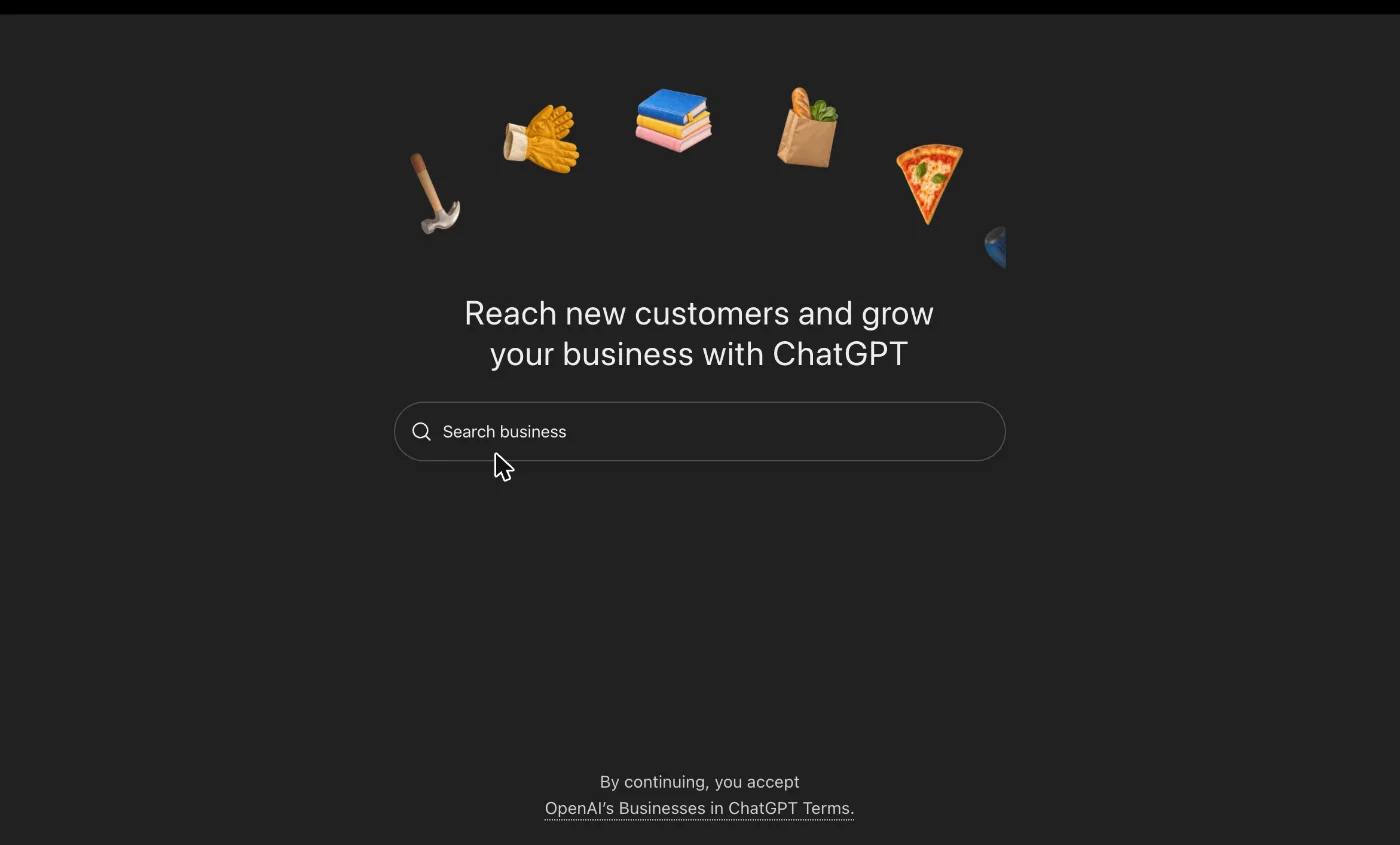
1. Open Business Hub and search for your business
Sign in to ChatGPT and open Business Hub from the sidebar (or go to chatgpt.com/business-hub). Type your business name into the search box.
2. Select your listing, or create one
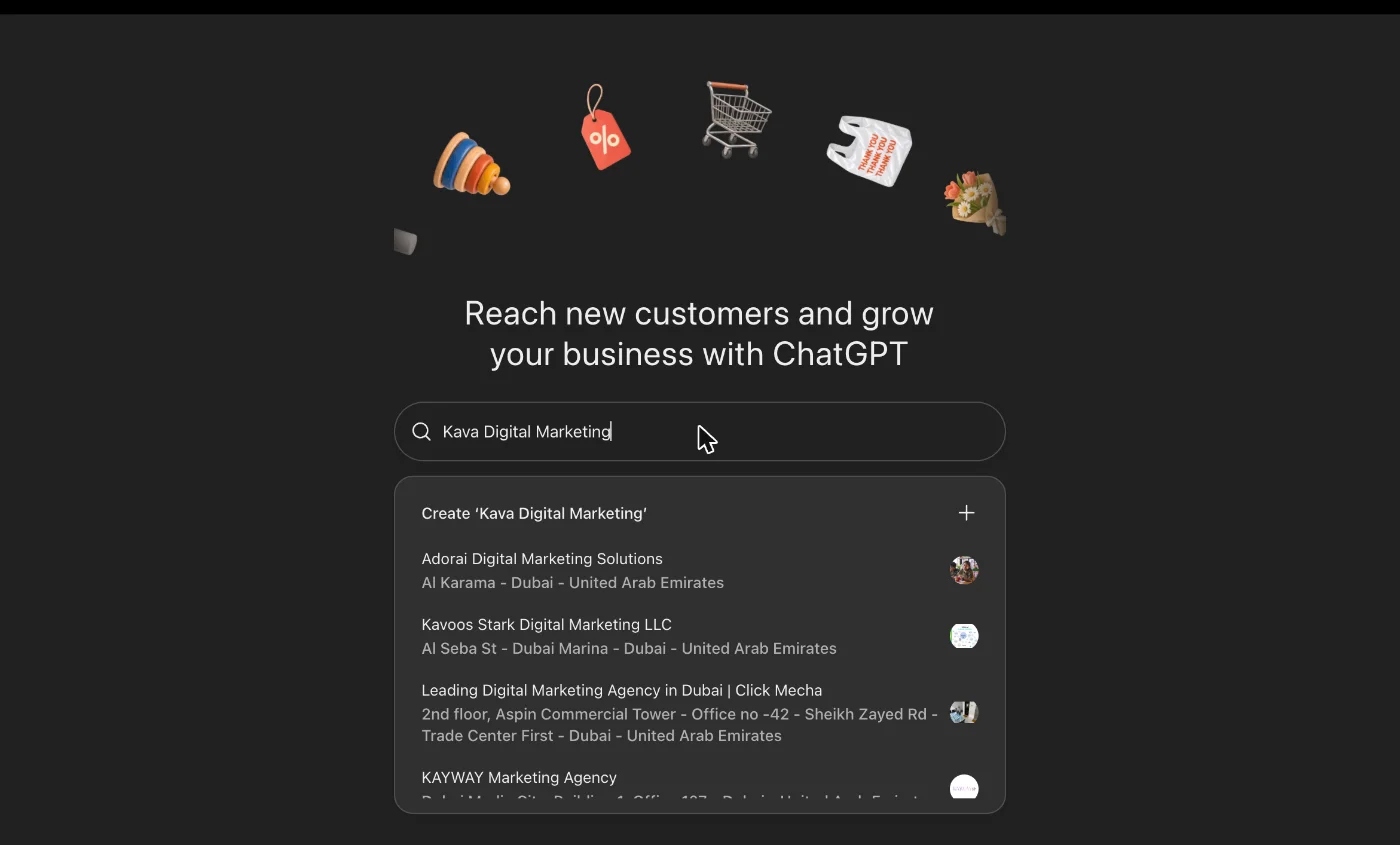
If your business appears, select it. If it doesn’t and you’re an online business, you’ll see a Create “[your business name]” option at the top of the results.
Check addresses carefully before you pick anything. The results lean toward businesses near where you’re searching from, and similarly named businesses show up alongside yours.
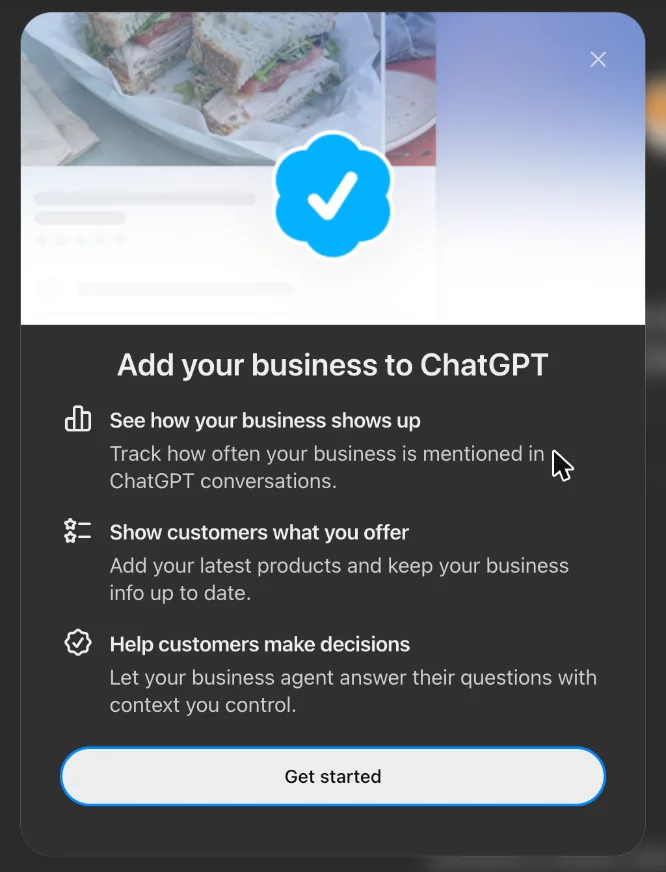
Creating a new profile opens a short intro covering what you get, then a Get started button.
3. Choose how customers interact with you
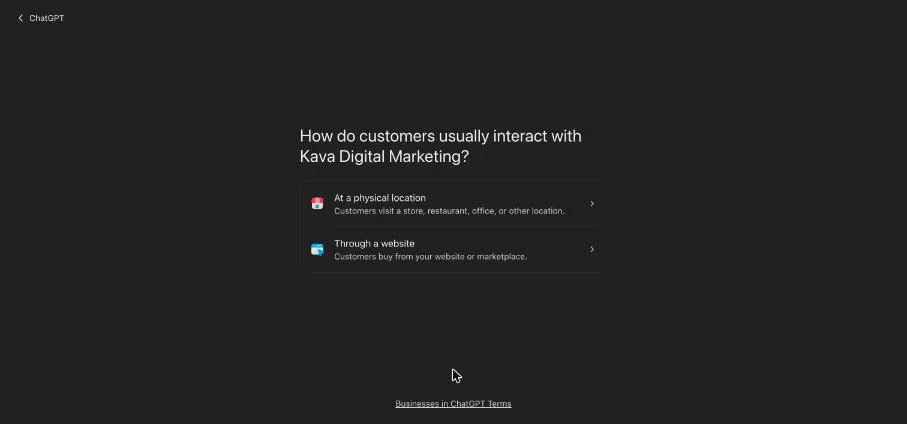
ChatGPT asks whether customers reach you At a physical location or Through a website. This choice decides which kind of profile you’re building and which verification options you’ll get.
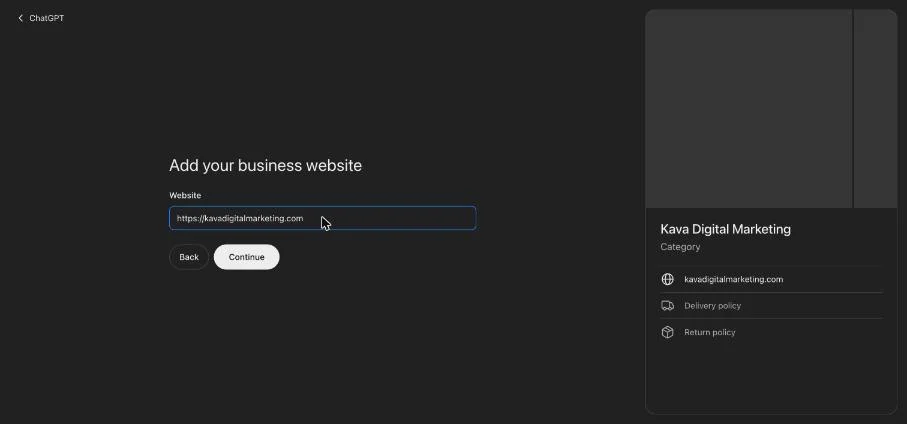
4. Add your website
Enter your business’s website URL. The preview card on the right fills in as you go.
5. Verify that the business is yours
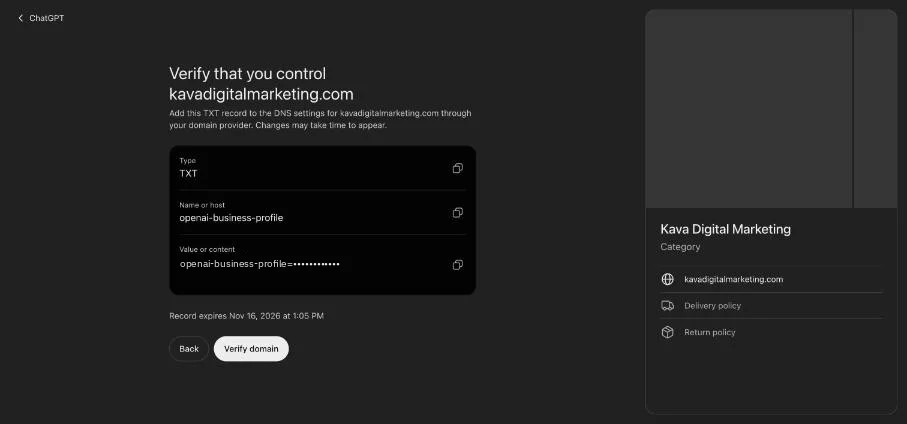
OpenAI offers different verification methods depending on the business: business phone (text or automated call), business email, website domain, or Shopify store.
We verified with the website domain. ChatGPT gave us a DNS TXT record with three parts to copy: the type, the name or host, and the value.
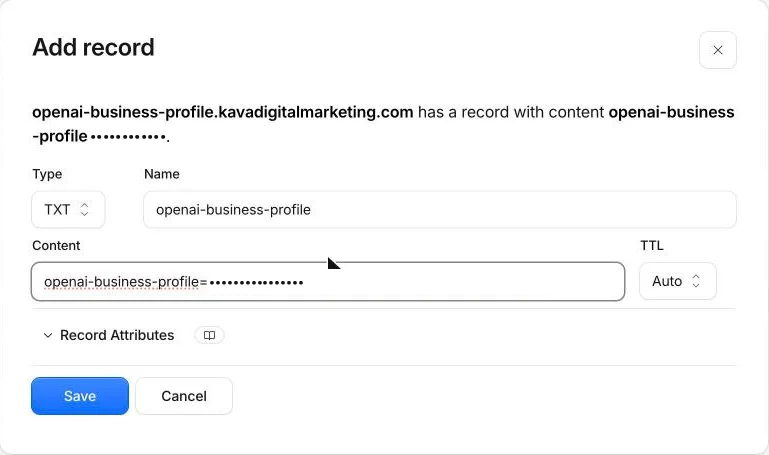
We added it in Cloudflare, where our DNS lives. It showed up within a minute or two, and Verify domain passed on the first try.
Three things that save time here:
- Add the record right away. Ours showed an expiry time about 24 hours out.
- Copy the type, host, and value exactly. If someone else manages your DNS (your web host, IT person, or agency), send them the record and ask them to add it.
- Domain verification is the most reliable route if your listing’s phone number or email is out of date. Phone and email codes go to whatever is on file, so a tracking number or an old inbox can leave you stuck.
6. Fill in your business details
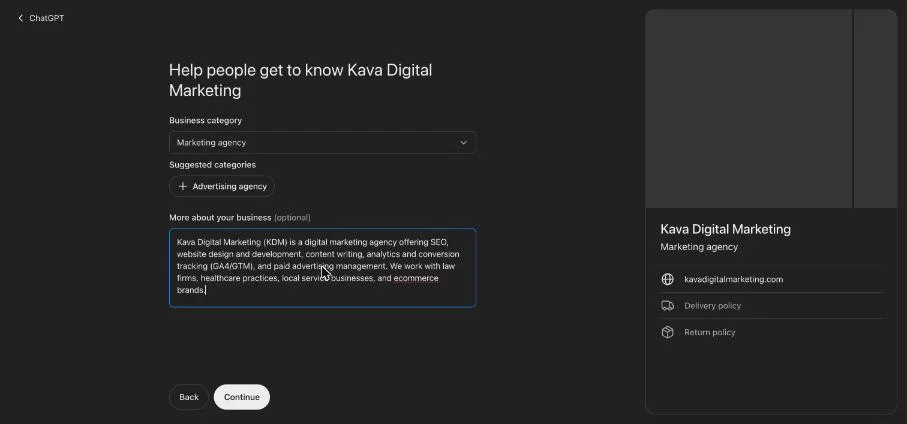
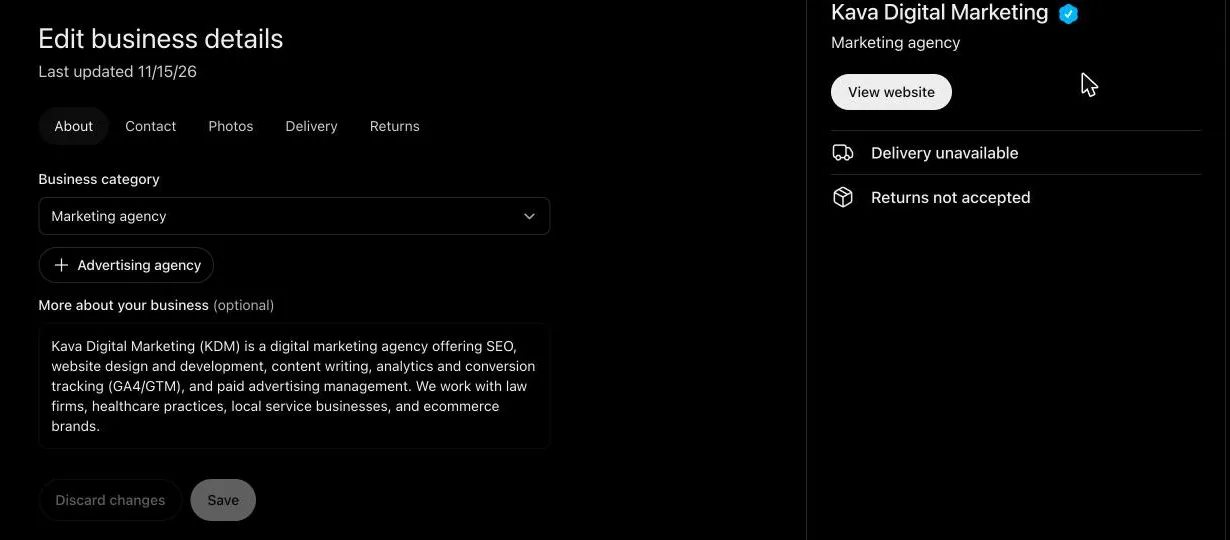
Pick a category (ChatGPT suggested “Marketing agency” for us) and write a short description of what you do and who you serve.
Contact phone and email are optional.
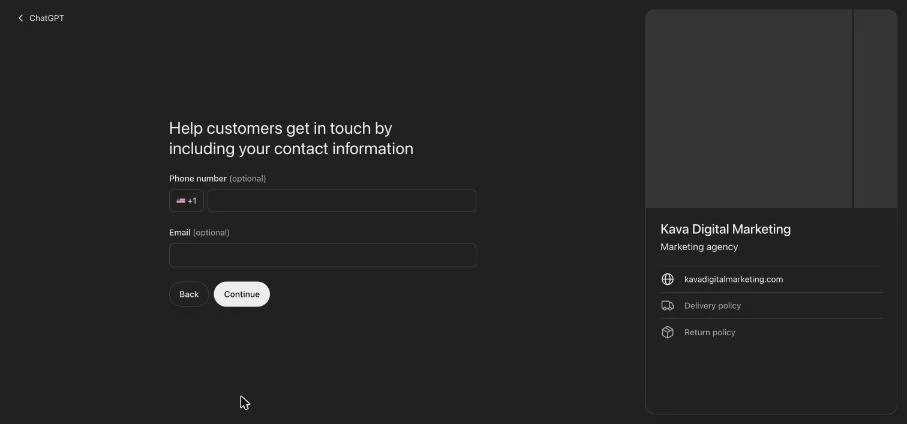
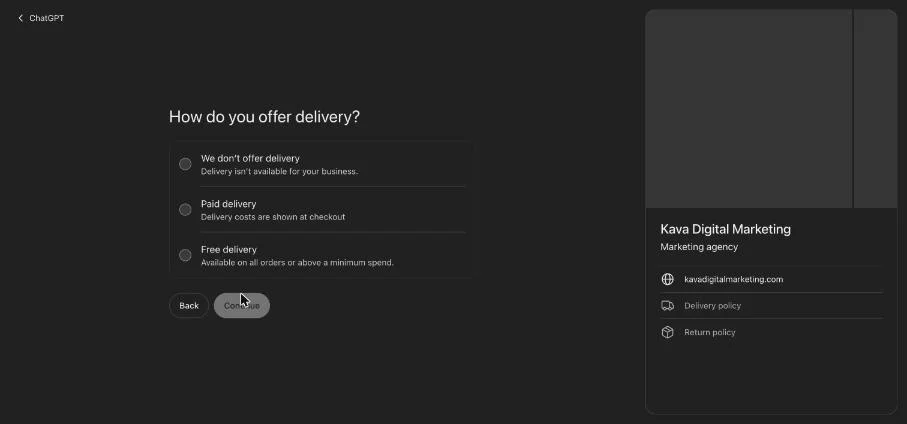
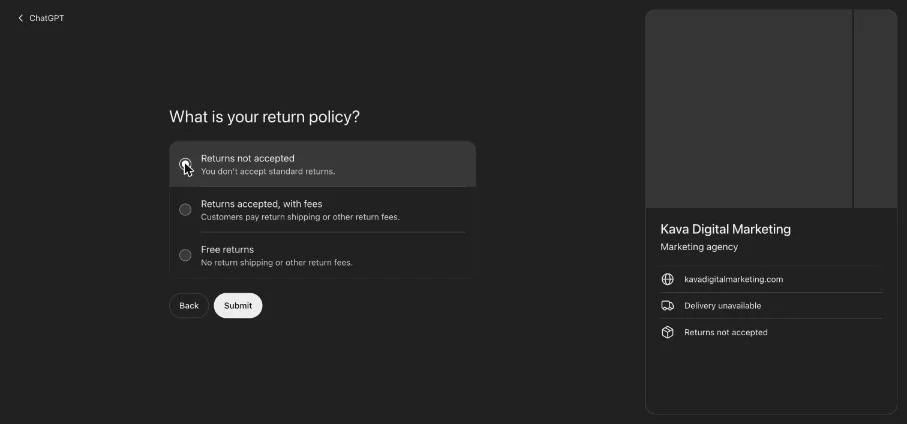
The website path asks ecommerce questions even if you sell services: a delivery policy and a return policy. If neither applies, choose the options that say so. We picked We don’t offer delivery and Returns not accepted, then selected Submit.
7. Verify your identity with Persona
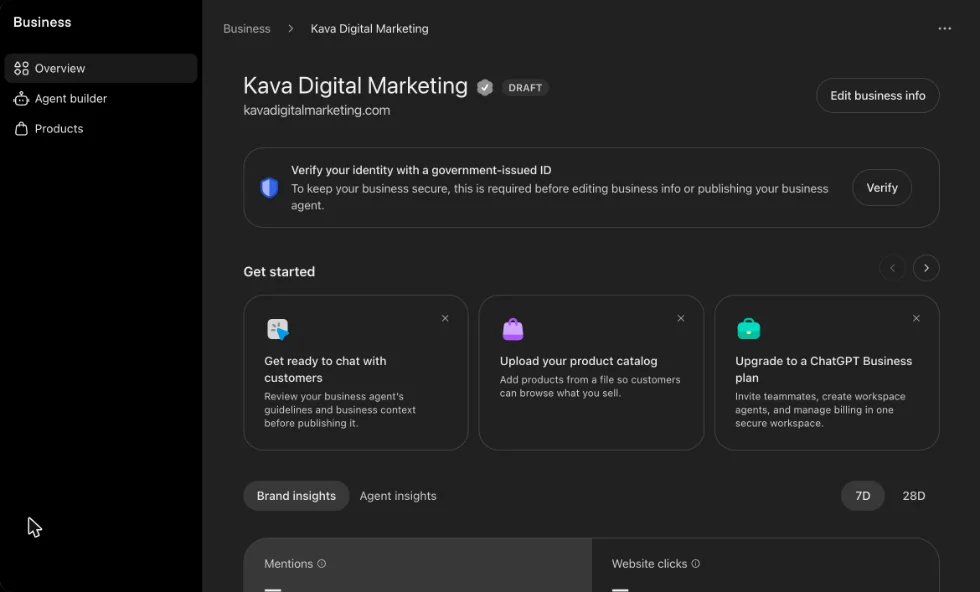
After you submit, the profile is saved as a draft. The confirmation screen also offered us advertising credit for ChatGPT Ads and an upgrade to a ChatGPT Business plan; neither is required.
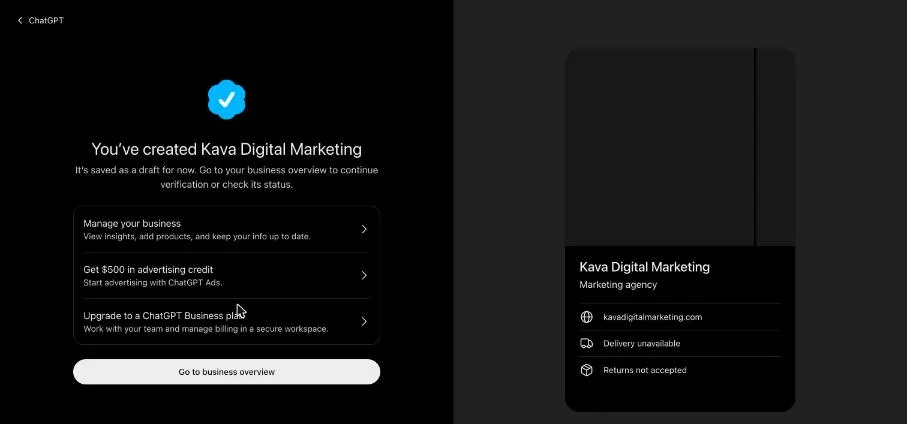
The overview then shows a banner asking you to verify your identity with a government-issued ID through Persona. OpenAI says you may also need business registration details and proof that you’re authorized to represent the business. The name, address, and any registration or tax number you enter should match your official records exactly.
Persona asks whether you’re a sole proprietor or an entity. The rule of thumb: answer based on your business’s legal structure (what’s on file with your state), not on how you file taxes. If you formed the business with your state, it’s almost always an entity.
| Your business type | Choose | Why |
|---|---|---|
| Sole proprietorship, no state filing | Sole proprietor | The business and the owner are legally the same person |
| Sole proprietorship operating under a DBA (“doing business as”) | Sole proprietor | A DBA is a trade name, not a separate legal entity |
| Freelancer or independent contractor who never formed a company | Sole proprietor | No separate legal entity exists |
| Single-member LLC | Entity | Legally separate from you, even though the IRS lets you file it like a sole proprietorship |
| Multi-member LLC | Entity | A registered business entity |
| LLC taxed as an S corp | Entity | The S corp election changes taxes, not the legal structure |
| S corporation or C corporation | Entity | A registered corporation |
| Professional LLC or professional corporation (PLLC, PC, PA) | Entity | Common for law firms, medical practices, and other licensed professions |
| Partnership (general, LP, or LLP) | Entity | The partnership is the business, not any one partner |
| Nonprofit organization | Entity | A registered corporation or association |
Whichever you choose, the business name, address, and any registration or tax number you enter should match your official records. If you’re not sure how your business was formed, check your state’s business registry or ask your accountant before you submit.
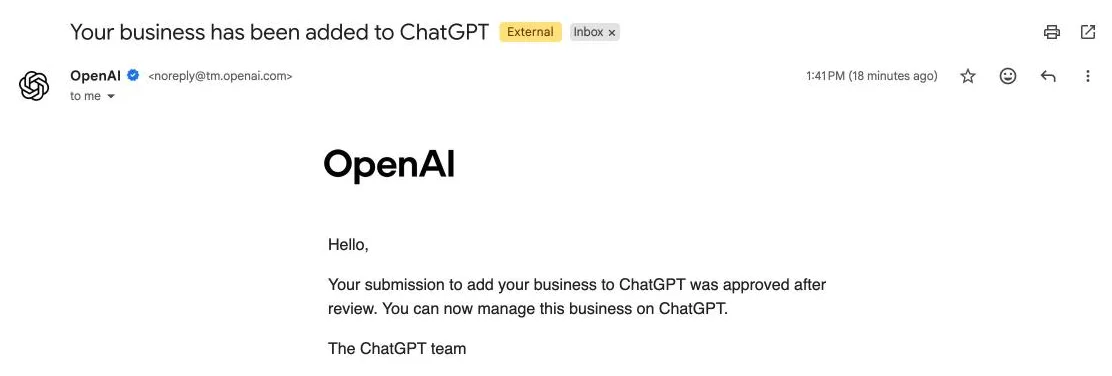
Until Persona verification is approved, you can’t publish changes, view insights, connect a product feed, or build an agent. OpenAI emails you its decision. Ours came the same day we submitted, with the subject line “Your business has been added to ChatGPT.”
Once approved, the blue verified check appears on your profile, and you can edit your details any time from Edit business info.
One thing to know before you submit: OpenAI says that if you create a new profile, approval of your Persona verification automatically publishes it, with no separate publish step. Get your category, description, and policies right before you submit. OpenAI Support can’t delete, unpublish, or hide a profile once it’s published; only unpublished drafts can be deleted.
Pro tip: let Claude set it up for you
Everything above can be handed to an AI agent. We used Claude in Chrome, Anthropic’s browser extension, which works inside your own Chrome browser. It navigates pages, clicks buttons, and types into forms the way you would, and it pauses to ask before anything consequential, like accepting terms or submitting a form.
That’s how we set up ours. Claude handled the search, every setup screen, and the DNS record in Cloudflare, and checked in before each step that mattered. It’s especially useful if DNS records are unfamiliar territory, since that’s the step where most people get stuck.
The ownership trap: don’t let your agency own your profile
This is the part of the setup that matters most, and most guides skip it.
- The ChatGPT account that claims the business becomes its admin.
- That admin can invite other admins, including an agency, and each person uses their own ChatGPT account.
- OpenAI hasn’t published a way to transfer ownership of a claimed profile to a different account.
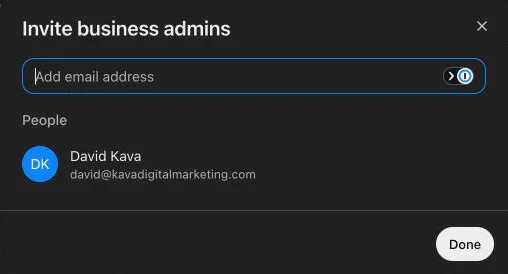
If an agency, freelancer, or employee claims the profile under their own account and you part ways later, you could be left without control of how your business appears in ChatGPT. It’s the same lesson businesses learned with Google Business Profile and Google Analytics.
Do it this way instead:
- Claim the business yourself, signed in with an account tied to a business-owned email address, not a personal one and not your agency’s.
- Complete the Persona check as the owner or an authorized officer.
- Invite your agency or team as admins from Invite in the top right of the profile.
- Never forward your claim invitation email. OpenAI specifically warns against it.
On our ChatGPT Plus account, the Invite option wasn’t there while the profile was a draft. It appeared once our verification was approved. OpenAI notes that invitation options can depend on the account used to claim, and that businesses claimed inside a ChatGPT workspace may need invitees to be members of that workspace. The overview page also suggests upgrading to a ChatGPT Business plan to invite teammates into a shared workspace. That plan isn’t required just to add admins to your profile.
What Business Hub insights show, and what they don’t
Once you’re verified, the Overview page shows your Brand insights: mentions and website clicks for the past 28 days, a daily mentions chart, and your top discovery topics.
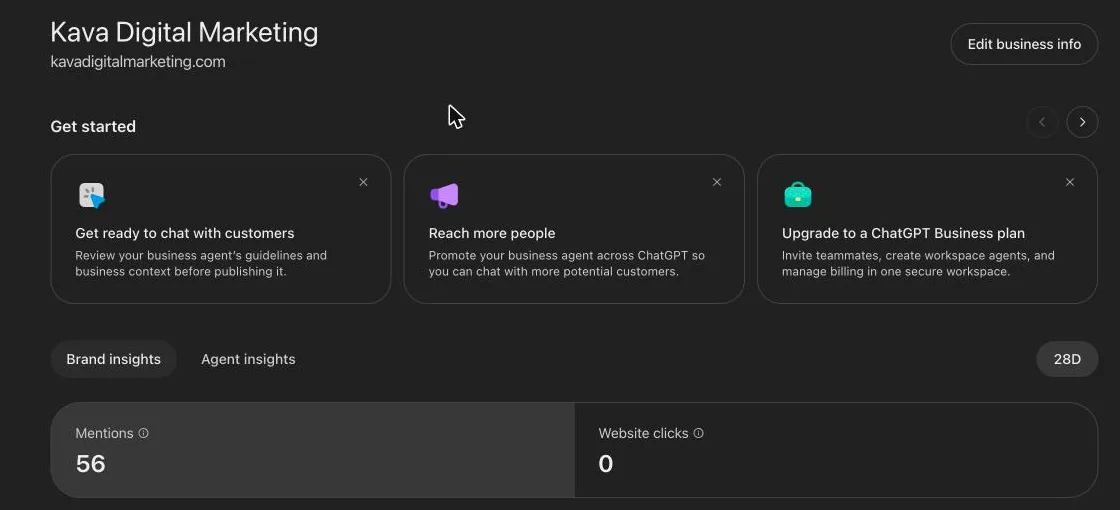
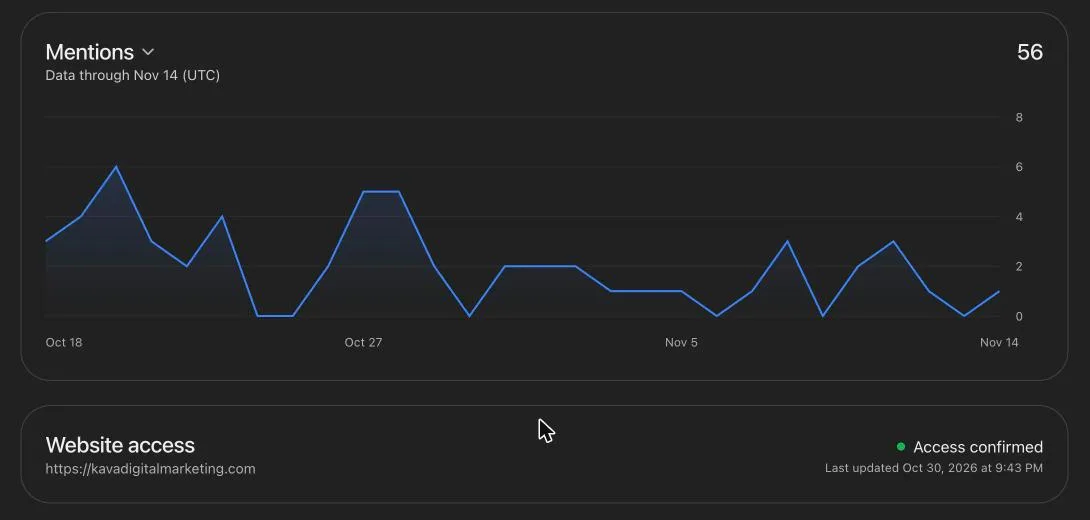
Here’s what each metric means, based on OpenAI’s definitions:
- Mentions. For an online business, a mention counts when ChatGPT references your website. ChatGPT naming your brand alone doesn’t count. For a local business, a mention counts when ChatGPT shows a result for that location, even if nobody opens it.
- Website clicks. How often people clicked through to your website from ChatGPT.
- Discovery topics. Groups of themes from the ChatGPT answers that mentioned you, with a 7-day or 28-day view. They’re aggregate categories, not the actual prompts people typed.
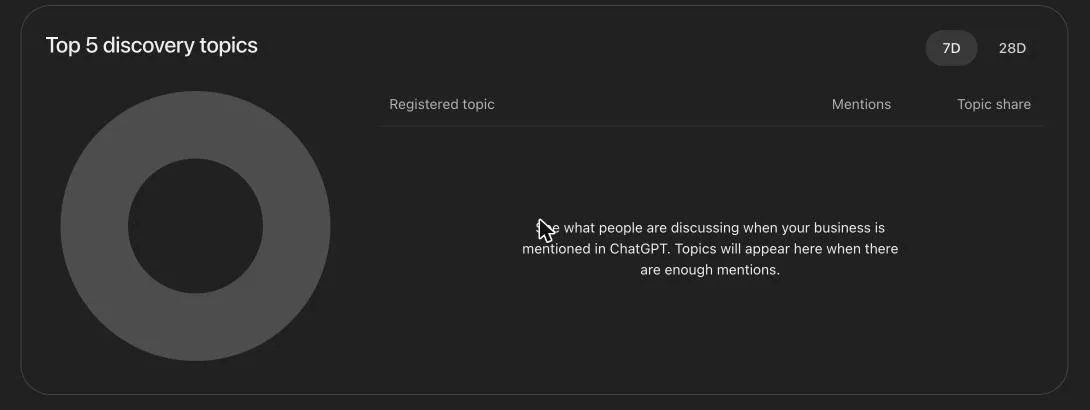
Three things to keep in mind when reading these numbers:
- Mentions aren’t traffic. We had 56 mentions and 0 clicks in the same 28 days. Being cited is a visibility signal; it doesn’t show up as leads or calls unless people click or remember your name.
- Blank doesn’t mean zero. OpenAI says a blank metric can mean activity hasn’t reached the reporting threshold or data is still being collected.
- You never see individual conversations. OpenAI doesn’t share prompts or chats with businesses, including chats with your Business Agent.
Business Agents and product feeds
The Agent builder lets eligible U.S. ecommerce and online service businesses set up an AI agent that answers customer questions using information you provide. It isn’t available everywhere yet. When we opened it, we got a message that the feature is rolling out by region.

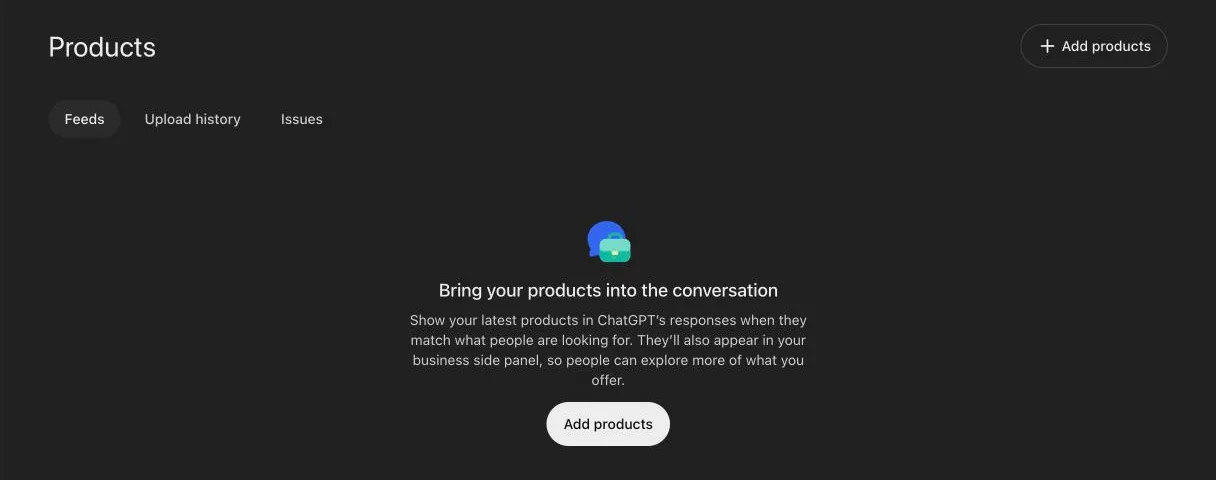
The Products tab is where retailers connect a product feed (a Shopify connection, a CSV upload, or a hosted feed URL) so ChatGPT has current prices and availability. If you sell services, you can skip it.
Will claiming your business make ChatGPT recommend you more?
No, and OpenAI is direct about it. Claiming lets you manage the information you provide. It doesn’t guarantee more visibility or give you control over ChatGPT’s independent recommendations. Advertising doesn’t influence those answers either. ChatGPT also keeps drawing on other sources about your business, and profile edits can take time to show up in answers.
So treat Business Hub as two things: a way to make sure ChatGPT has accurate information about you, and the first real measurement of how often ChatGPT cites you. Whether ChatGPT recommends you still comes down to the same signals that drive local and organic search: a complete Google Business Profile, consistent business information across the web, strong reviews, and clear website content that answers what customers ask. We break that down in how to show up in ChatGPT and AI search.
Frequently asked questions
Is ChatGPT Business Hub free?
Yes. Claiming your business is free, and you don’t need an Ads account, an Enterprise agreement, or a paid ChatGPT plan. OpenAI hasn’t ruled out charging later.
How do I get my business on ChatGPT if it isn’t listed?
Online businesses can choose Create at the top of the Business Hub search results and add a new profile. Local stores and restaurants can only claim an existing U.S. listing during the beta.
How long does verification take?
Our domain verification passed within a couple of minutes of adding the DNS record, and our approval email arrived the same day we submitted. OpenAI reviews both the claim and the Persona ID check and says review time varies, so yours may take longer. You’ll get the decision by email.
Can my marketing agency claim my business for me?
They can, but they shouldn’t. The account that claims the business becomes its admin, and there’s no published way to transfer ownership. Claim it yourself and invite your agency as an admin.
Should I choose sole proprietor or entity in the Persona check?
Go by your legal structure, not your tax filing. If you registered the business with your state (an LLC of any kind, a corporation, a partnership, or a nonprofit), choose entity. Choose sole proprietor only if you never formed a separate company, including if you operate under a DBA.
Is Business Hub the same as Google Business Profile?
It’s similar in purpose but separate: a different platform with its own profile, verification, and insights. Claiming one doesn’t claim the other. Keep both accurate and consistent with each other.
Want a second set of eyes on yours?
We set up our own profile the week Business Hub launched, so we know where the setup gets confusing: which path to pick, what to put in the category and description, how to verify when your listing details are out of date, and how to keep ownership in your hands. If you’d rather not figure it out alone, book a free call and we’ll walk you through it. We’ll also look at how ChatGPT describes your business today and what’s helping or hurting your chances of being recommended.
